
Alternative software · 3D & animation
 Blender
Create 3D models, artwork and animations with a free alternative to apps like Maya and 3ds Max.
What is Blender?
Blender (opens in a new tab) is a free, open-source app for creating 3D models, scenes and animations. You can use it to build characters, design objects and turn your work into finished images or videos.
It’s developed by a worldwide community, supported by the Blender Foundation (opens in a new tab). It’s also available for Windows and macOS, so you can try it before moving to Linux.
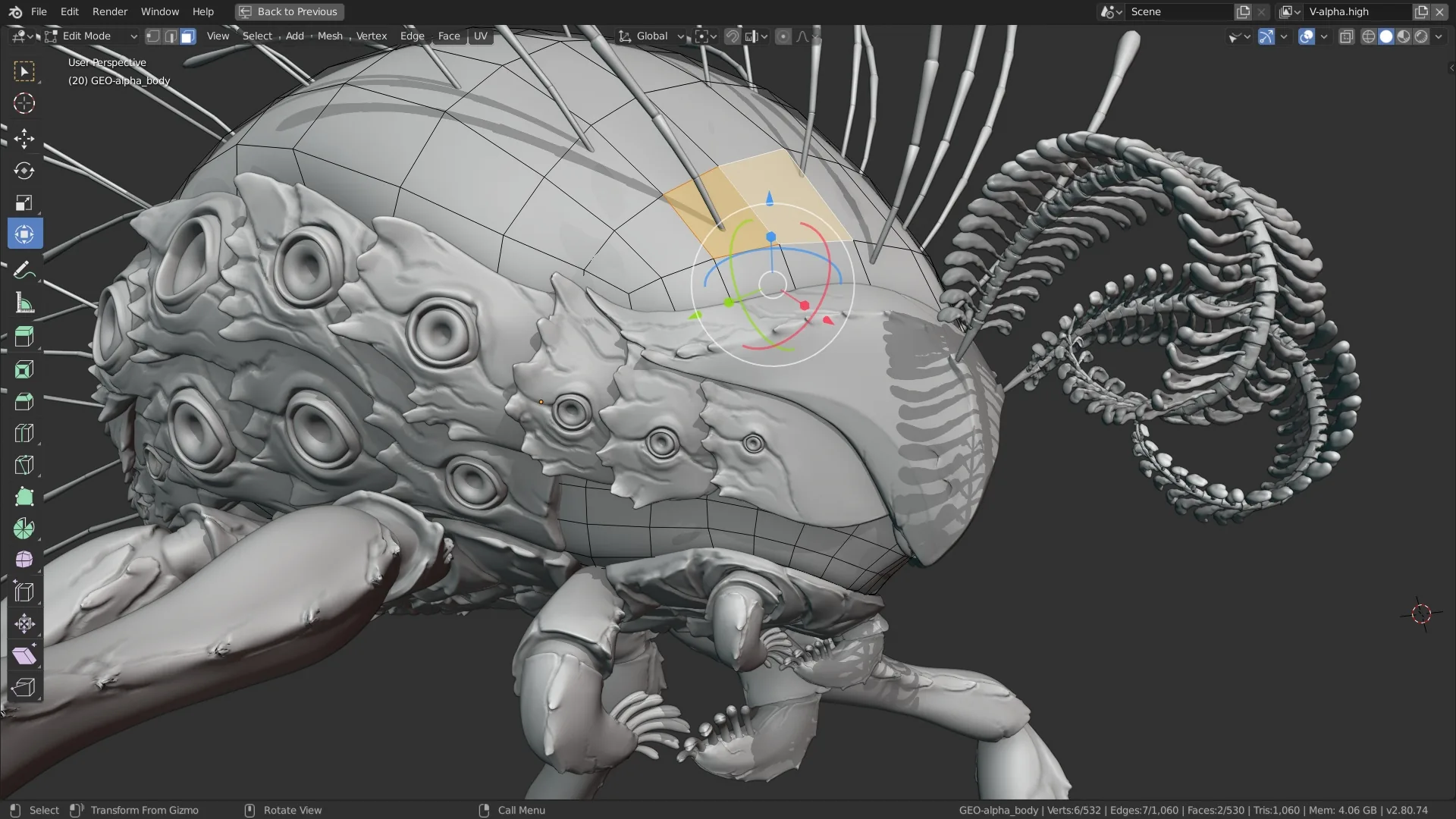
What can you do with it?
- Build 3D models: Create objects, characters and environments.
- Sculpt details: Shape a model as though you’re working with clay.
- Bring things to life: Animate characters, objects and cameras.
- Create finished images: Add materials and lighting, then turn your scene into a picture or video.
Coming from another 3D app?
Blender is worth trying if you use Maya, 3ds Max or Cinema 4D. Its tools and shortcuts work differently, so start with a small project while you learn your way around.
If you’re new to 3D altogether, the Blender tutorials (opens in a new tab) are a useful starting point. There’s a lot to learn, and you don’t need to learn it all at once.
Getting Blender
Check the official downloads page (opens in a new tab) for other options.
Or install through your distro:
 Debian / Ubuntu / Mint / Pop!_OS
sudo apt install blender Fedora
sudo dnf install blender Arch / CachyOS
sudo pacman -S blender