
Alternative software · Recording
 OBS Studio
Record your screen, capture gameplay and stream live for free.
What is OBS Studio?
OBS Studio (opens in a new tab) is a free, open-source app for screen recording and live streaming. You can use it to record tutorials, share gameplay or broadcast with a webcam and microphone.
It’s developed by the OBS Project and its contributors (opens in a new tab). It’s also available for Windows and macOS, so you can try it before moving to Linux.
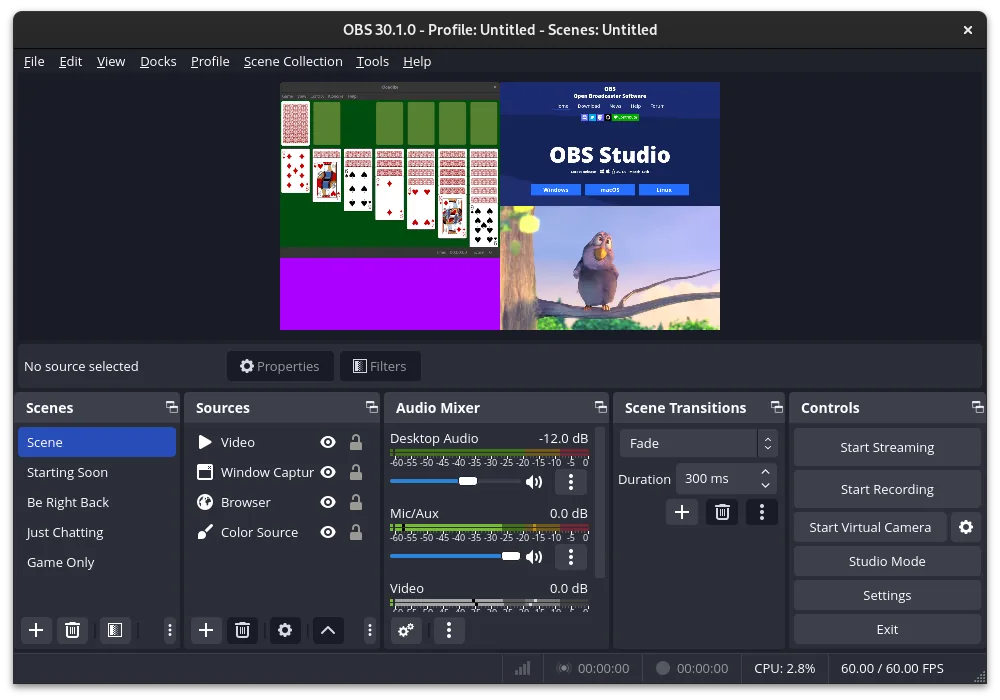
What can you do with it?
- Record your screen: Capture a desktop or app window for a tutorial or gameplay video.
- Go live: Stream to services such as Twitch and YouTube.
- Combine sources: Put your webcam, screen, images and text into the same recording.
- Control your sound: Adjust your microphone and desktop audio separately.
Getting started
OBS uses scenes to arrange what your viewers see. For example, you could have one scene showing your game with a webcam in the corner, and another showing a short break message.
Start with a simple recording and check the picture and sound before going live. The OBS quick start guide (opens in a new tab) walks you through setting it up.
If you want to cut and edit the recording afterwards, take a look at Kdenlive.
Getting OBS Studio
Install OBS Studio from Flathub (opens in a new tab), or check the official downloads page (opens in a new tab) for other options.
Or install through your distro:
 Debian / Ubuntu / Mint / Pop!_OS
sudo apt install obs-studio Fedora
sudo dnf install obs-studio Arch / CachyOS
sudo pacman -S obs-studio