
Ubuntu
NVIDIA
Use Ubuntu's Additional Drivers tool to manage NVIDIA drivers.
Not sure what the driver names mean? Read NVIDIA drivers for the differences.
During installation
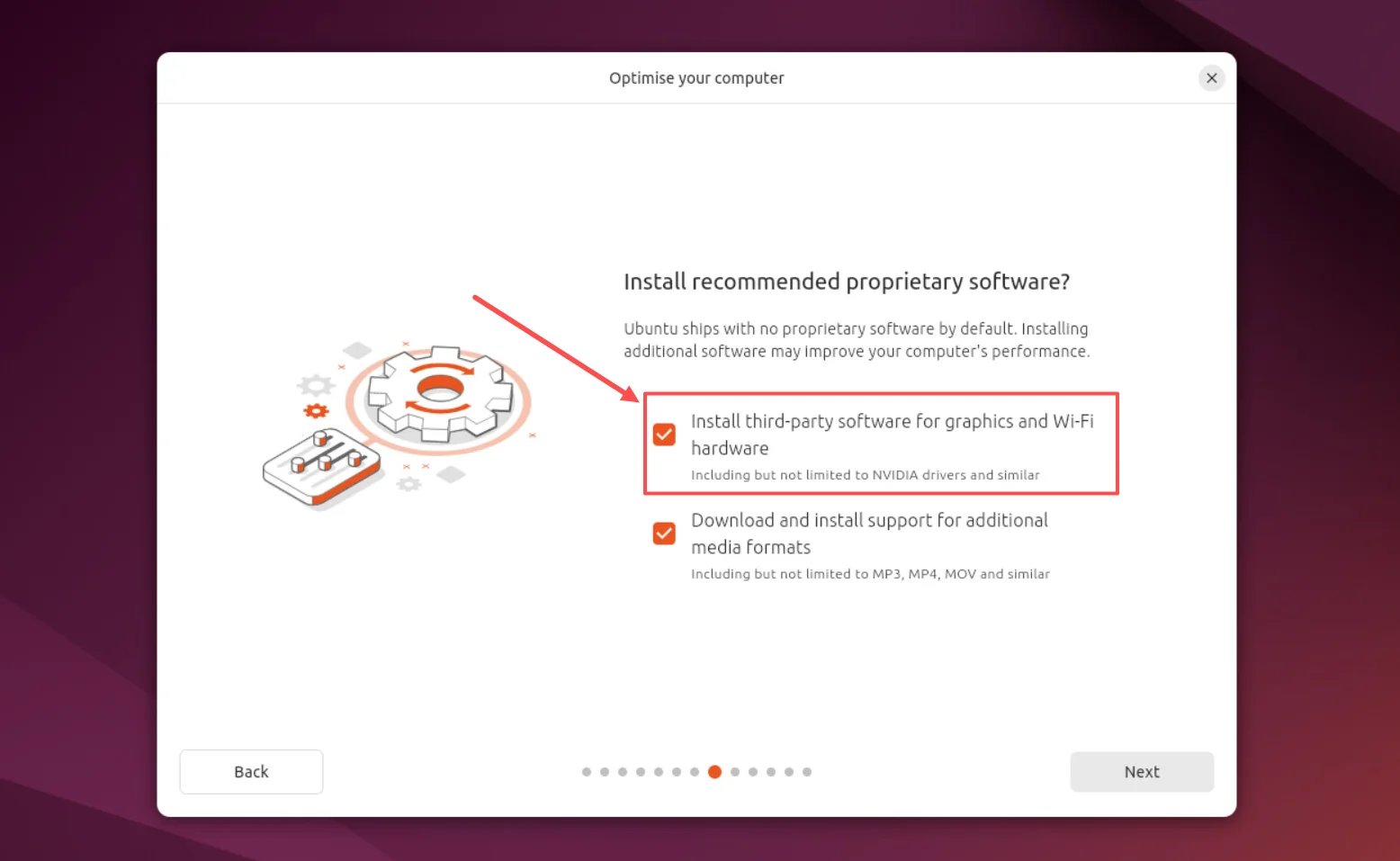
On the Optimise your computer screen, select Install third-party software for graphics and Wi-Fi hardware to let Ubuntu install drivers for supported hardware.
After installation
Ubuntu has a tool called Additional Drivers that helps you find and install drivers for your hardware, including supported NVIDIA graphics cards.
Install the driver
- Open Additional Drivers
Open Software & Updates, then choose the Additional Drivers tab. You can also search for Additional Drivers in the app menu.
- Choose the recommended driver
Select the NVIDIA driver marked recommended.
- Apply Changes
Click Apply Changes and enter your password if asked. Wait for the installation to finish.
- Restart your computer
Restart to start using the driver.
If Secure Boot is enabled, you may also be asked to enrol a key during the restart. Follow the instructions shown to finish setting up the driver.
If the tool isn’t available or you’re unsure which option to choose, follow Ubuntu’s NVIDIA driver guide (opens in a new tab).