
Linux Mint
Codecs
Install multimedia codecs on Linux Mint.
What are codecs?
Codecs let apps play different audio and video formats.
Without the right codec, a video might play without sound, show a blank screen, or not open at all. Installing the missing codecs helps your apps play those files.
Are they already installed?
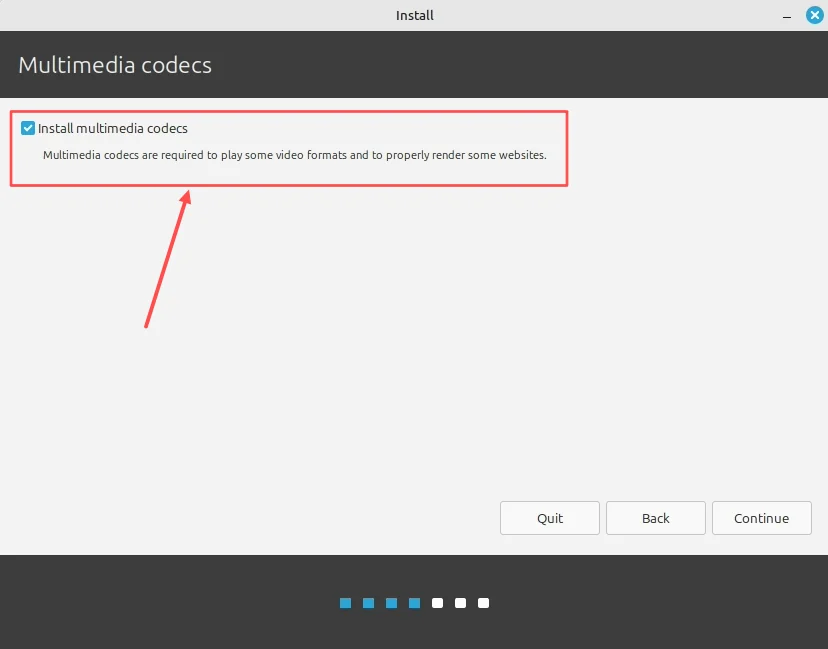
If you were connected to the internet and ticked Install multimedia codecs during Mint’s setup, they’re already installed.
Try playing your audio or video first.
During installation
Connect to the internet and tick Install multimedia codecs.
After installation
Open the app menu and go to Sound & Video, then Install Multimedia Codecs.
Click Install, enter your password, and wait for it to finish. Close and reopen your media app, then try again.
Prefer the terminal?
Refresh the package list:
sh
sudo apt updateInstall Mint’s multimedia codecs:
sh
sudo apt install mint-meta-codecs